


AvatarStar-Web
- Rating
- 8.9(based on last 6 months)
- Votes
- 141 likes and 18 dislikes
- Released
- November 2026
- Game engine
- HTML5
- Platform
- Browser (desktop-only)
Avatar Star-Web is a colorful 3D multiplayer third-person shooter where small heroes bring big firepower. Battle across varied maps, combine class abilities with your favorite weapons, and create a character with a look of your own.
FOUR CLASSES, DIFFERENT WAYS TO FIGHT
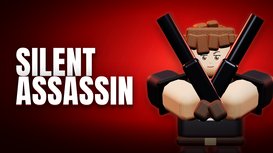
Choose the Guardian to support teammates with healing, the Gunner to push the front line with heavy weapons, or the Assassin to outmaneuver opponents with stealth, sniper rifles, and close-range attacks. The Biochemist adds grenade launchers, crossbows, and chemical sprayers to the fight. Each class has its own arsenal and skills, so positioning and teamwork matter as much as aim.
TEAM BATTLES WITH A PURPOSE
Fight for eliminations in Team Death Match, take and hold the objective in King of the Hill, or capture and defend flag points in Domination. Learn each map’s routes, find a firing position, and use your abilities to help turn the match. Switch between weapons as the battle changes, from close-range encounters to long-distance shots.
MAKE YOUR AVATAR YOUR OWN
Customization goes beyond choosing an outfit. In the Avatar Room, combine character parts, adjust their appearance and colors, and create Avatar Cards that change how your character looks in battle. Develop your character, experiment with equipment and skill combinations, and build a playstyle to match your design.
START WITH THE BASICS
The beginner tutorial introduces movement, weapons, and abilities. Try the game as a guest, or sign in with your CrazyGames account to keep your account progress. Designed for desktop play with a keyboard and mouse.
Controls
- WASD: Move
- Mouse: Look around and aim
- Left mouse button: Fire
- Right mouse button: Secondary weapon action
- Space: Jump
- R: Reload
- Q or mouse wheel: Switch weapons
- Tab: View match information
- O / Esc: Open the menu and release the mouse cursor
Follow the in-game tutorial for class abilities. Key bindings can be changed in Settings.