Blombo.io
- Developer
- MoVariYa
- Rating
- 8.9(based on last 6 months)
- Votes
- 14K likes and 1.8K dislikes
- Released
- August 2026
- Game engine
- Externally hosted (iframe)
- Platforms
- Browser (desktop, mobile, tablet), CrazyGames App (iOS, Android)
- Orientation
- Landscape / Portrait
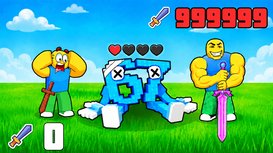
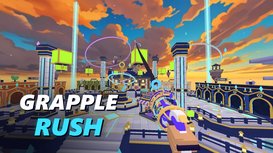
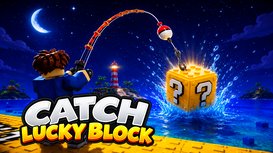
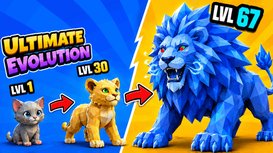
Blombo.io brings together more than 100 multiplayer 3D games made by its community, from co-op horror and survival adventures to battle royale, fantasy RPGs, obbies, and roleplay cities. Pick a game and jump in. Every game is played with real people, and your character, friends list, and party follow you wherever you go. New games and updates arrive every week, so there is always something new to try.
What to Play
Team Up
- Haunted Haul: Board the truck with up to 4 friends and drive into a haunted location that changes every run. Grab the valuables without breaking them and get out before one of 14 monsters finds you.
- Dungeon Loot: Dive into dungeons with friends, collect loot, and level up your skills.
- Seas of Fortune: Raise the sails with your crew, explore forgotten islands, and chase treasure across turquoise waters.
- Elaria Online: Enter a world of swords and magic. Explore villages and wild lands, complete quests, and team up against powerful bosses.
Compete
- STORMDROP: A battle royale on a brand-new island every match. Glide down from the Sky Barge, loot towns and castles, and be the last one standing. Bots fill empty spots, so you never wait long.
- Lucky Block Battleground: Smash lucky blocks for 60+ wild items and knock everyone off the sky island, while world events like Moon Gravity and Meteor Shower turn every round upside down.
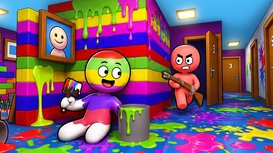
- Paint and Seek: Paint yourself to match the room and hide in plain sight while seekers hunt you with paint blasters. Up to 12 players can join.
Collect and Grow
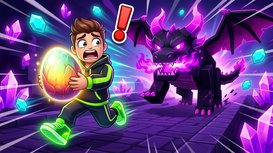
- My Pet Mount: Track down eggs hidden around the map, hatch rarer and faster pets, and mutate them to reach even rarer eggs.
Hang Out
- Sunhaven RP: A sunny city in the sky where you can pick a job, earn coins, decorate your apartment, and spend time with friends.
- Rokhaven RP: One of the busiest roleplay hangouts on Blombo.
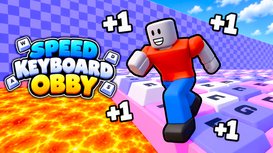
Looking for something quick? Try Lava is The Floor, DO NOT PUSH THE BUTTON, or Hack and Run.
How It Works
Pick a game from the home page. HOT shows where most people are playing right now, NEW has the latest releases, BEST lists the top-rated games, and UPDATED highlights games with fresh content. You land on a live server with other players right away, and every game explains its goal and controls when you start.
Bring your friends along. Add them to your friends list, message them privately, form a party of up to 5, and join them on the exact server they are playing on. You can chat with players from all over the world and turn on translation for incoming messages.
Make your character your own. It travels with you into every game. Pick skins, faces, hair, and gear in the store and show off with emotes. Want something unique? Paint your own skin or animate your own emote in the built-in editors. Approved designs go on sale in the store, and you earn a share of every sale.
Features
- 100+ multiplayer 3D games
- Horror, survival, battle royale, RPG, obby, roleplay, tycoon, and party games
- New games and updates every week
- Every game is online with real players
- One character, friends list, and party across all games
- Parties of up to 5, private messages, and the ability to join friends on their exact server
- Chat with optional message translation
- Skins, faces, hair, gear, and emotes to customize your character
- Skin editor and animation editor, with a share of every sale of your approved designs
- Support for desktop and mobile
Controls
Desktop
- WASD or arrow keys = Move
- Mouse = Look around
- Mouse wheel = Zoom the camera in and out
- Space = Jump
- Shift = Sprint
- Left click = Punch / Use
- F = First-person camera
- G = Hold for the emote wheel, flick to a slot, release to play it
- C = Crouch
- E = Interact
- Enter = Open chat
- Tab = Player List
- P = Menu and settings
Every movement and editor key can be rebound in Settings, Controls!
Mobile
- Left joystick = move
- Jump button = Jump
- Run button = Toggle run
- Crouch button = Toggle crouch
- Swipe = Look around
- Pinch in / Pinch out = Zoom the camera in and out
- Punch button = Punch
- Emote button = Emote
- Camera button = First-person view
- Chat button = Open chat
- Menu button = menu and settings